搭建虚拟机
详细可以参考这篇博客:https://blog.csdn.net/yjk13703623757/article/details/70040797
1、安装virtualbox
下载地址:https://www.virtualbox.org/wiki/Downloads
mac机器上安装如果报错,需要到 系统偏好设置下->安全与隐私->通用 下,允许程序写入文件。然后再重新安装。
2、安装vagrant
下载地址:https://www.vagrantup.com/downloads.html
下载安装后,在控制台上查看是否安装成功。
1 | $ vagrant -v |
3、选择虚拟机的box
获取虚拟机box的方式有两种,在线和离线。
在线的方式,可以在https://app.vagrantup.com/boxes/search 上面找到自己想要启动的虚拟机,然后按照指示在Vagrantfile上面进行配置。
1 | Vagrant.configure("2") do |config| |
也可以使用离线的方式下载好虚拟机的box,然后通过
1 | $ vagrant box add centos.box # 添加进去。 |
4、启动虚拟机
(1)首先,创建一个目录,在目录上创建Vagrantfile
1 | $ vagrant init bento/centos-7.4 |
Vagrantfile的内容如下:
1 | Vagrant.configure("2") do |config| |
(2) 启动虚拟机:
1 | $ vagrant up |
(3) 登陆虚拟机:
1 | $ vagrant ssh |
至此,虚拟机就启动成功了。
此外,可以对虚拟机的网络,主机名称,内存等进行进一步的配置,修改Vagrantfile。
我搭建了两台虚拟机,一台是master,一台note1,主要是名称和绑定的静态ip不一样罢了。
master 虚拟机配置
1 | Vagrant.configure(2) do |config| |
note1虚拟机配置:
1 | Vagrant.configure(2) do |config| |
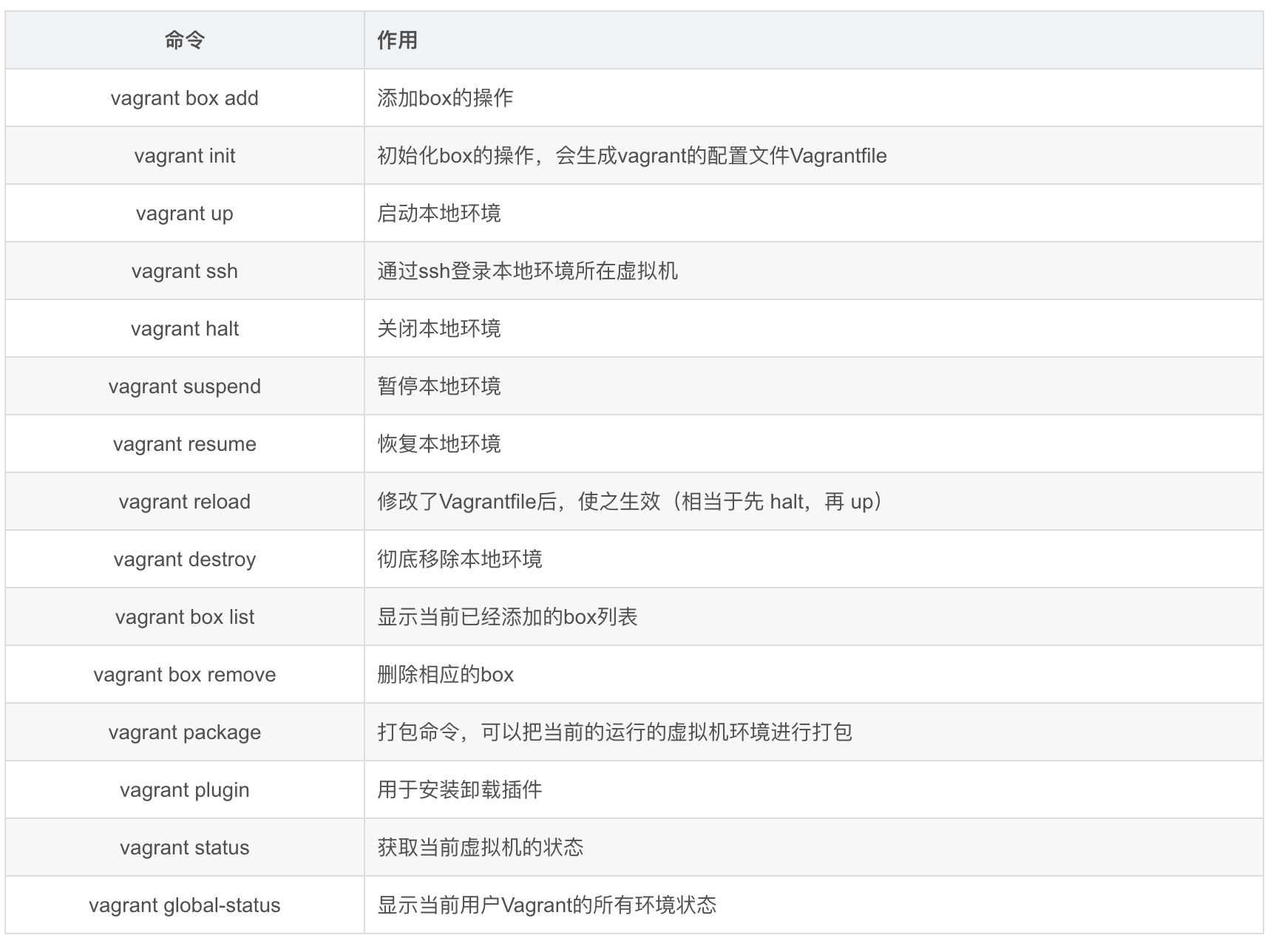
Vagrant命令
这些命令需要进入到Vagrantfile文件所在的目录执行。